Appearance
Authentication
All API requests must be authenticated using your Live Secret Key. Authentication ensures that only authorized merchants can access the service.
Generate Live Secret Key
- Log in to your :brij business dashboard.
- Navigate to the API Configuration section > API Keys & Webhooks.
- Generate or copy your
Live Secret Key. - Include your Secret Key in the request header:
Authorization: Bearer YOUR_SECRET_KEY
💡Keep your Secret Key secure and never expose it on the frontend.
How to Generate a New Live Secret Key
- Click the Manage API Keys button.
- A modal window will appear with several configuration options.
- Enable the following permissions as shown in the snapshot:
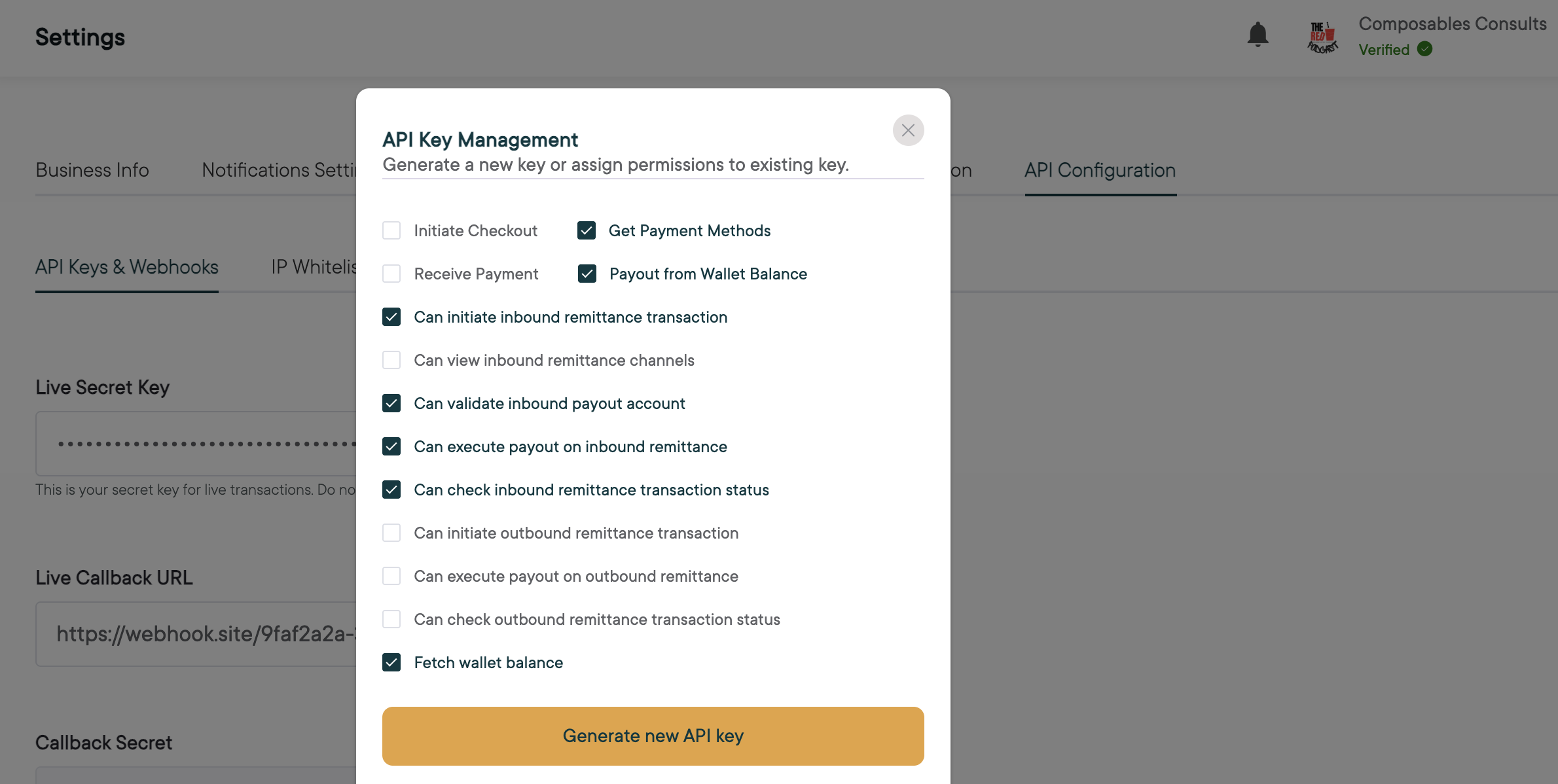
Once these permissions are enabled, click the Generate New API Key button in the modal window and securely store your new Live Secret Key.
Revoking Permission on the Secret Key
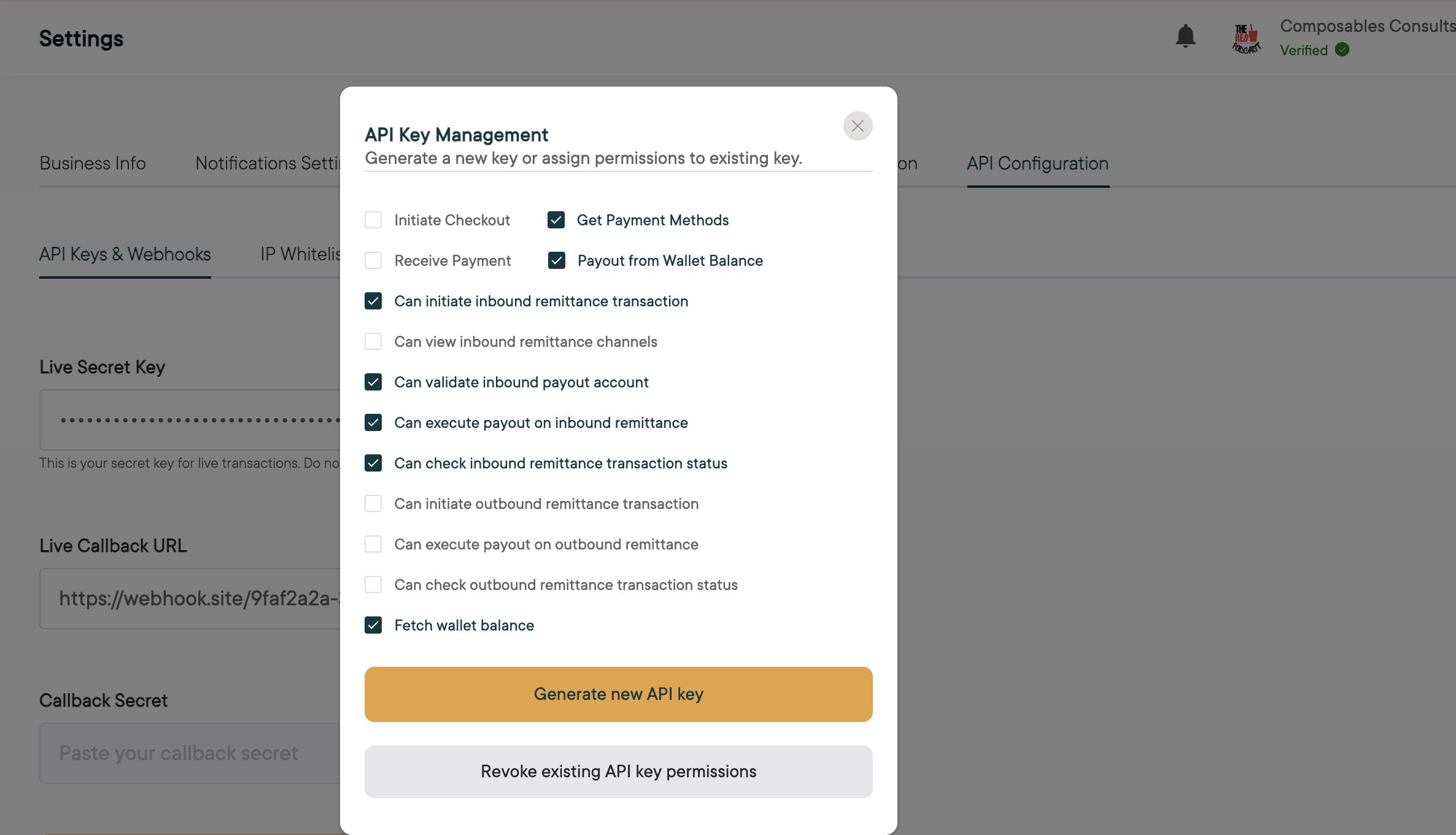
- Click the Manage API Keys button.
- A modal window will appear with several configuration options.
- Enable the required permissions you want to revoke as shown in the snapshot: